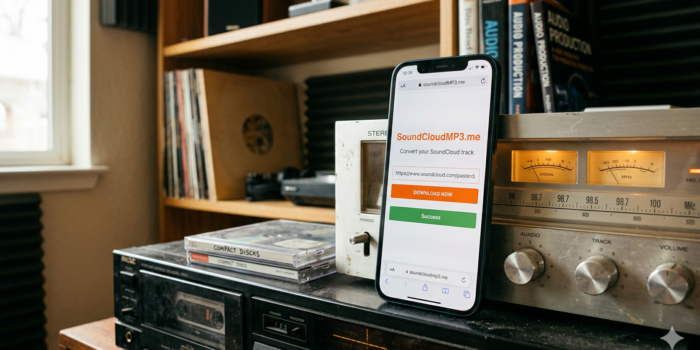
It’s been a long time since I first started posting about music tools here on SaveTube. If you look back at some of my posts from 5 or 10 years ago, you’ll see that many of the sites we used to rely on are long gone. The internet changes fast, and usually, the good tools get shut down or filled with so many ads you can’t even see the “Download” button anymore.
That’s why I was pretty happy to find that SoundCloudMP3.me is not only still online but working better than ever as we move through 2026.
Why SoundCloud is Still the Best for Music
Even with all the big streaming services out there, SoundCloud is still where the real stuff happens. It’s where you find those 2 AM DJ sets, the weird remixes that would never get cleared for Spotify, and the brand-new artists just starting out.
The problem is, SoundCloud’s “Go+” subscription is pricey, and their offline mode isn’t always reliable. Plus, if you’re like me, you still like having actual files. Whether it’s for a backup, playing on an old iPod, or just keeping a copy in case an artist deletes their account, having an MP3 is just safer.
Looking Back: How Things Have Changed
I’ve covered this topic many times before. If you remember my old post on How to Save Online Audio Files Safely, the advice was much different back then. We used to have to use browser extensions that broke every week. Later, I wrote about The Best Free Tools for Music Lovers, and even then, most of those sites are now full of malware.
Coming back to a site like SoundCloudMP3.me feels like a breath of fresh air. It’s simple, it’s fast, and it doesn’t try to sell you anything. It has no ads, it is free to use and there’s no chance of getting some malware loaded instead of mp3. Site is just wonderful.
How to Use SoundCloudMP3.me (The Simple Way)
I don’t think you need a long manual for this, but just in case you’re new to the site, here is how it works. I’ve tested this on my desktop and my phone, and it’s the same process both ways.
- Find your track: Open SoundCloud and find the song or mix you want.
- Get the URL: Click the share button and copy the link. It should look something like
https://soundcloud.com/artistname/track-name-etc. - Paste and Go: Open SoundCloudMP3.me and paste that link into the box.
- Download: Click the orange button. It processes the file in a few seconds and gives you a direct link to save it.
New Features for 2026
While the site looks simple, they have added some nice updates recently that make it stand out from the clones.
High-Quality AAC Options
Most people just want a standard MP3, which is fine. But if you have good headphones or a nice home stereo, you might want something better. The site now detects if a high-quality version of the track is available and gives you the option to download in AAC format. This sounds much better than the old 128kbps rips we used to get.
The Search Feature
One of my favorite updates is the built-in search. If you don’t feel like opening SoundCloud at all, you can just type the artist or song name directly into the box on SoundCloudMP3.me. It pulls up the results, and you can download right from there. It cuts out the middleman and saves a lot of time.
Playlist downloads
This site is a monster when it comes to downloading Soundcloud music by the playlist. Just try and you will see.. It can search playlists, it can accept one as a URL (bring your own playlist – BYOP) and it will allow you to download whatever tracks you want from the playlist. Quite neat, huh?
Mobile-Friendly Layout
Ten years ago, we did everything on desktop. Now, most of us are grabbing music on the go. This site is fully “responsive,” meaning it works perfectly on iPhone or Android browsers. There’s no need to download an app from the store that tracks your data. You can even “Add to Home Screen” to make it work like a standalone app.
Is it Safe and Anonymous?
This is the big question. A lot of these “converter” sites are shady. One reason I’m recommending this one is that it doesn’t require an account. You don’t have to give them your email, and they don’t track what you’re downloading.
As I mentioned in my previous guide on Protecting Your Privacy While Downloading, keeping your personal info away from these tools is the best way to stay safe online.
Making the Most of Your Downloads
Once you have your MP3s, what do you do with them? Since these files are yours to keep, you can move them anywhere.
- Backup to the Cloud: I usually throw my favorite downloads into a Dropbox folder so I can access them from any device.
- Offline Playlists: If you travel a lot or live in an area with bad reception, these files are a lifesaver.
- Edit Your Own Mixes: Since you have the actual file, you can drop it into any audio editor if you’re making your own mixes for friends.
Final Verdict ???
It’s nice to see that in 2026, we still have access to tools that prioritize the user. This SoundCloud to MP3 converter isn’t trying to be a “social media platform” or a “music discovery engine”—it’s just a tool that does one thing really well.
If you’ve been looking for a way to get your SoundCloud favorites onto your hard drive without any drama, this is the site to use. Give it a try and let me know in the comments if it’s working well for you!
