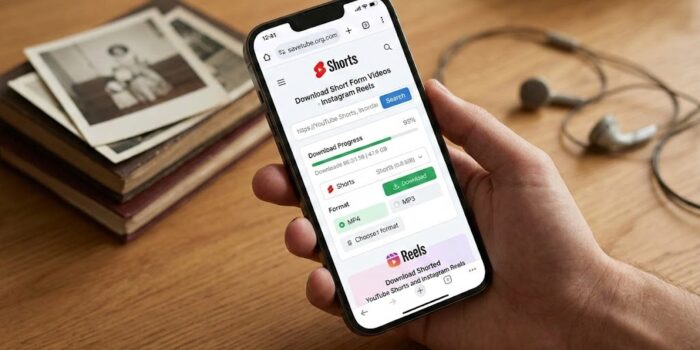
We’ve all been there: scrolling through your feed and finding that perfect, concise video you want to keep and maybe share with friends on some other social video site. Whether it’s a quick recipe, a clever life hack, or just something that makes you laugh, the desire to save it for later, offline viewing is a common thing. The rise of short-form video on platforms like YouTube (with Shorts) and Instagram (with Reels) has made this need more frequent than ever (not even mentioning TikTok here 🤪).
While the platforms themselves often have ways to “save” content within their own ecosystem (like a “Saved” collection on Instagram or a “Watch Later” playlist on YouTube), these methods generally require an active internet connection to access the videos in perpetuity. This isn’t ideal if you’re traveling, have spotty or limited monthly data, or simply want to archive the video for a long-term offline collection.
So, how can you download YouTube Shorts and Instagram Reels for offline viewing? Let’s explore some effective and safe methods that align with the simple, user-focused solutions you’ve come to expect here at SaveTube.org over the past decade.
The Power of Online Tools
The simplest way for most users, similar to how many have used our recommended YouTube converters, is to utilize a dedicated online video downloading website. There are numerous sites that have adapted to include support for these short-form formats. The general process is straightforward:
-
Find the Video: Locate the YouTube Short or Instagram Reel you want to save.
-
Copy the Link: Look for the share icon (often an arrow) and select “Copy Link” or “Share.”
-
Visit a Downloader: Open a trusted online downloader in your browser. Or use one of those software programs that allow easy download (but sometimes cost an arm and a leg, well, for some people that is).
-
Paste and Download: Paste the link into the downloader’s text field and click the download button. You’ll usually be offered different quality options.
This method requires no installation and works across various devices with a web browser. The key is to find reputable tools that are efficient and respect your security.
Try Desktop Software for Bulk Saving
If you frequently find yourself saving many Shorts or Reels, or if you prefer a more robust application, desktop software might be a better fit. Programs like Youtube-dl (or a whole list of software with GUI that use it as main engine) or 4K Video Downloader+ are excellent for this purpose. Once installed, you can paste entire video links (or sometimes even playlist links if the tools support it) and have them automatically download in the quality and format you prefer.
The advantage of desktop software is often faster speeds, batch processing, and a higher degree of control. It’s a method that experienced users have trusted for years for standard videos, and it translates well to these shorter formats.
Safety and Security First – You Just Know It
When exploring any tool for downloading content, especially online websites, safety should be your top priority. Here are a few things to keep in mind, a reminder from some of our past guides:
-
Beware of Pop-ups: Many conversion sites make money through aggressive advertising. If you’re constantly bombarded with pop-ups, and especially if they try to trick you into downloading something, – find another tool.
-
Use an Ad-Blocker: To make your experience safer and less annoying, a browser-based ad-blocker is highly recommended when visiting these types of sites.
-
Scan Your Downloads: Always run a virus scan on any file you download from a third-party source before opening it. It’s better to be safe than sorry.
- Get a VPN subscription!! Paid VPNs are known to eradicate not just nasty popups, but also any ads in general and they cost only like $2 per month for 10 devices (if you go for longer lasting plans). I would recommend Proton VPN (based in Switzerland, they have free accounts too, but limited download speeds there so maybe check it but don’t expect too much from free tier) or SurfShark VPN for those who wants more control (like identity protection and a bunch of other benefits).. Both these VPNs are guaranteed to keep zero logs of your activity, so it’s very very much secure browsing from the start. Should have probably put this as a separate headline.. But I will try to get more into the VPNs in later articles.
In conclusion, the need to save short-form content for offline enjoyment is clear. By using these methods, you can build your own library of favorite Shorts and Reels, accessible anytime, even when the internet isn’t within reach.
