I come across a lot of YouTube converters (websites and apps) in my day-to-day — it kind of comes with the territory of running this blog. Most of them I forget about within five minutes. CNVMP3 is one of them sites that I actually keep coming back to, so I figured it deserves a proper write-up.
The short version: it’s fast, genuinely ad-free, and doesn’t try to trick you into clicking fake download buttons. In a space where that’s apparently a high bar to clear, CNVMP3 clears it comfortably.
First impressions
The site loads instantly and the interface is about as minimal as it gets — one input field, one button. No banner ads, no popups, no countdown timers that also ask you to click something to make website free “for today”. I ran a few conversions within the first minute of landing on the page for the first time, – which is exactly how it should work IMHO. There’s no account to create, no extension to install, nothing to agree to beyond the standard disclaimer about personal use.
What I didn’t expect was the built-in YouTube search. You can type a search term directly into the input box — artist name, song title, whatever — and it auto-suggests popular localized queries as you type. Finish your search and up to 20 YouTube results appear on the page. Click any thumbnail and it loads that video ready to convert. That’s a genuinely useful feature, especially on mobile where copying URLs from YouTube is fiddly to say the least (some people still don’t know to use the omni-present share functionality).
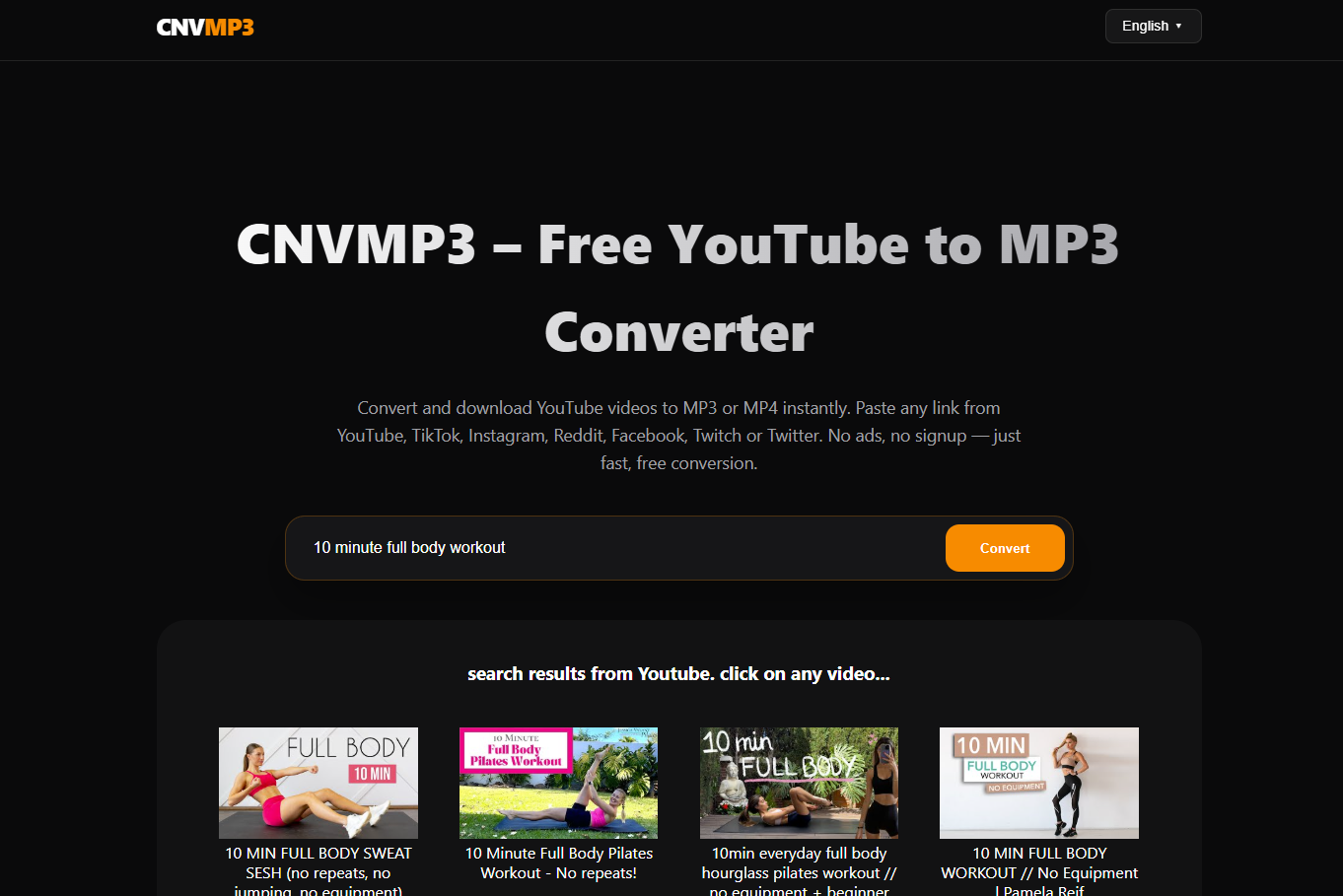
this image shows how cnvmp3 looks with video search results loaded – nice and clean
Platform support
CNVMP3 handles a lot more than just YouTube. I tested it with TikTok, Reddit, Instagram, Facebook, Twitch, and X and they all worked without issues. A few things worth noting from my testing:
- TikTok downloads came through without watermarks, which isn’t always the case with tools like this.
- Instagram covered Reels, Stories, and Carousels — not just standard posts.
- Reddit video worked cleanly, with audio and video properly merged (Reddit stores them as separate tracks which many tools fail to handle). It even extracted one animated GIF that was in the comments.
- YouTube Shorts worked identically to regular videos — same URL format, same process, no workarounds needed. I actually wrote about the general challenge of saving Shorts and Reels for offline viewing recently if you want more context on why that matters.
- Twitch clip downloads were quick and didn’t require any login.
Quality options
For MP3 you get four options: 96kbps, 128kbps, 256kbps, and 320kbps. The site is unusually honest about the 320kbps option — it actually tells you upfront that it outputs as VBR0 (roughly 250–280kbps) rather than true constant 320, but that this saves 15–20% on file size while sounding virtually identical. I appreciate that kind of transparency, most sites would just label it 320 and move on.
For MP4 you get up to 1080p on most content, with 4K available for videos under an hour and 720p/480p/360p for when you want smaller files. On android or mobiles in general, I would recommend smaller file rather than high video quality, – keep in mind that your data is used while transfer happens, unless you’re on rather unlimited office or home/neighbour’s WI-FI.
Conversion speed was solid throughout my testing. Shorter videos were done in a few seconds, longer ones took maybe 10–15 seconds depending on quality. Nothing that made me want to go make a coffee.
Available in 18 languages
This is the part that genuinely impressed me. CNVMP3 is fully localized into 18 languages — English, Spanish, German, Portuguese, French, Italian, Russian, Polish, Dutch, Turkish, Vietnamese, Hindi, Traditional Chinese, Japanese, Indonesian, Arabic, Korean, and Thai. Each one is a proper localized page with its own URL, not just a browser translation overlay.
That kind of reach is rare for a tool this small and clean. It means the site is actually useful to a huge chunk of the world’s internet users in their own language, and it means search engines can surface the right version to the right people. It’s the kind of detail that shows someone actually thought about who’s going to use this.
Is it safe to use
I ran it through my usual checks. No malicious redirects, no drive-by downloads, no sketchy ad networks firing in the background. The privacy policy is straightforward — no tracking, no data collection, no registration. Given how many converter sites out there are basically malware delivery systems dressed up as useful tools, it’s worth saying clearly: this one isn’t. If you want a refresher on what the bad ones look like by comparison, I covered that in my post on how to spot a malicious video converter.
What I’d improve
Honestly not much at this point. If I’m being picky, a download history or recent conversions list would be a nice touch for repeat use. A browser extension would also make the workflow smoother — rather than switching tabs to paste a URL, a one-click convert from the YouTube page itself would be slicker. But these are nice-to-haves, not complaints. Also some users might prefer day-time colors, but me – I love the dark palette.
Bottom line
CNVMP3 does what it says, doesn’t do anything it shouldn’t, and is genuinely pleasant to use. In a category full of sites that treat users as a monetization opportunity rather than actual people, that’s worth something. If you need a reliable YouTube to MP3 converter that works across platforms and won’t bombard you with ads, cnvmp3.click is a solid bookmark to store and keep.
